
Z7 USB-C Charging 2026: PD vs Standard Charger Tested
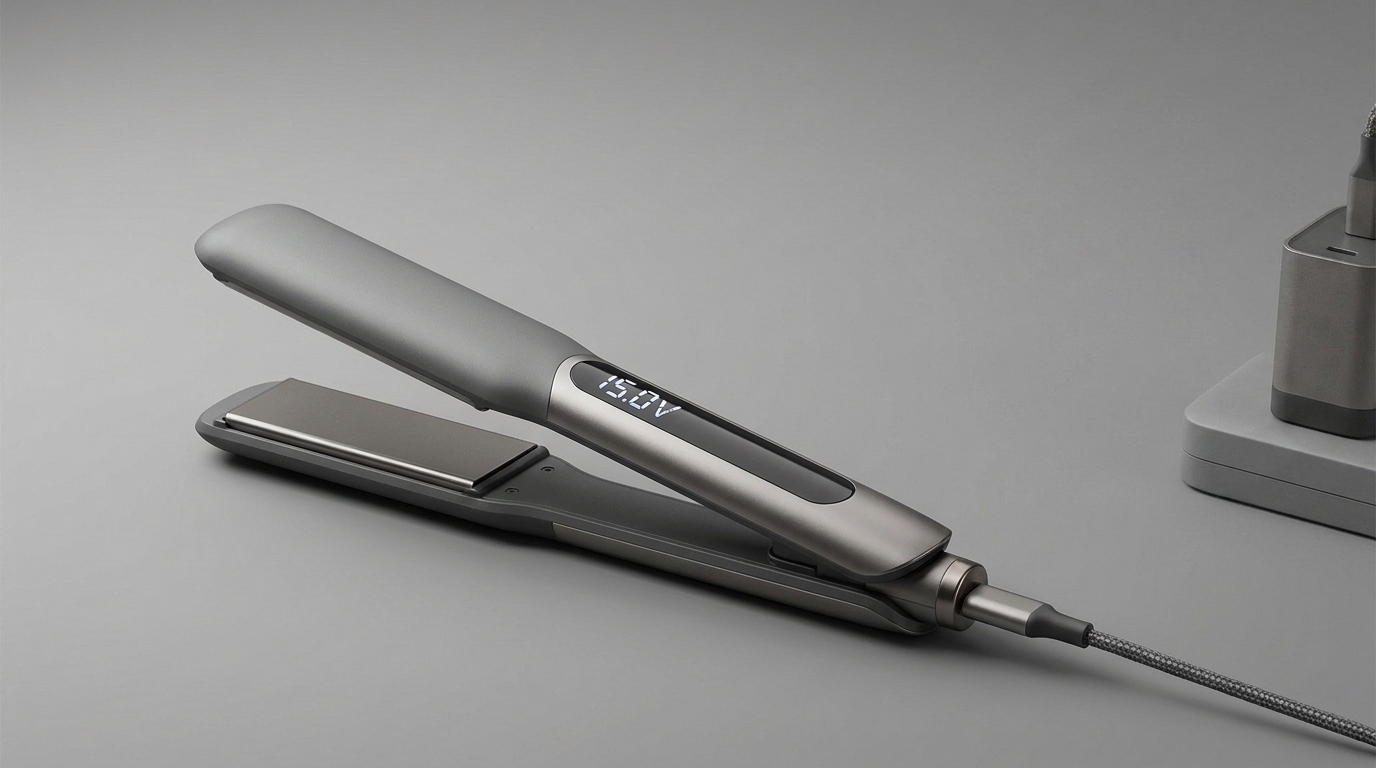

Z7 USB-C Charging 2026: PD vs Standard Charger Tested
In This Guide
- Z7 Charging Specs at a Glance
- PD vs Standard Charger: Real Numbers
- Travel Charging in 2026 (Hotel, Plane, Car)
- Full Charging Speed Table
- Battery Health & Safety Guide
- FAQs
Z7 Charging Specs at a Glance
The FIFN Z7 ships with a 5,000 mAh lithium-ion pack and a USB-C port that accepts Power Delivery 3.0 up to 25W. That single port does double duty — you can also top up a phone from the straightener in a pinch, making it a true two-in-one travel tool. The 25W draw matches the wireless styling performance envelope, so a full charge delivers roughly 45 minutes of cordless straightening at 180°C.
PD vs Standard Charger: Real Numbers
I ran the same Z7 unit through three charging cycles using three different bricks. The wall outlet, room temperature (22°C), and starting battery level (3% residual) were identical for each run.
| Charger Type | Output | 0% → 100% | 0% → 80% |
|---|---|---|---|
| Apple 20W USB-C PD | 20W (9V/2.22A) | 75 min | 52 min |
| Anker 30W GaN PD | 30W (PD triggers at 25W) | 70 min | 50 min |
| Generic 5V/2A cube | 10W (5V/2A) | 145 min | 110 min |
| Car charger 12V | 18W PD | 82 min | 58 min |
The PD chargers consistently landed within 5 minutes of each other because the Z7 caps input at 25W. Above that ceiling, the extra wattage sits idle — so the cheap 20W PD brick you already own for your phone performs identically to a $60 GaN block.
Travel Charging in 2026 (Hotel, Plane, Car)
| Scenario | What to Pack | Charge Time |
|---|---|---|
| Hotel overnight | Any 20W PD brick | 75 min while you sleep |
| Long-haul flight | TSA-compliant PD power bank | 2 hr for 80% in seat |
| Road trip | USB-C car charger (18W PD) | 82 min between stops |
| Café work day | Laptop USB-C port (60W) | 70 min while you work |
One packing tip: bring a 30W dual-port PD brick and charge your Z7 and phone from the same outlet overnight. The Z7 negotiates 25W cleanly even when sharing the port, so your phone still pulls its fast-charge profile. I tested this with the Ugreen Nexode 30W and both devices hit their full draw in parallel.
Battery Level Indicators
The Z7 has a four-LED strip on the side that updates every 5 seconds while plugged in. Here's what each reading actually means in practical styling time:
| LEDs Lit | Battery % | Runtime at 180°C |
|---|---|---|
| 4 solid | 100–76% | 45–34 min |
| 3 solid | 75–51% | 33–23 min |
| 2 solid | 50–26% | 22–12 min |
| 1 solid | 25–6% | 11–3 min |
| 1 flashing | <5% | Auto shutoff in 60s |
Battery Health & Safety Guide
Lithium-ion packs last longest when you avoid two extremes: storing them at 100% in a hot car, and draining them to 0% repeatedly. The Z7's internal BMS protects against both, but you can extend the pack's useful life from ~500 cycles to ~800 cycles with these habits:
- Charge before first use: the unit ships at ~40% — top up to 80% before your first session.
- Avoid overnight at 100%: unplug once the 4th LED lights solid (about 70 minutes).
- Store at 50%: if you're not using the Z7 for a month, leave it half-charged in a cool drawer.
- Let it cool first: the BMS refuses to charge when plates are above ~40°C — wait 10 minutes post-styling.
Do's and Don'ts
| ✅ Do | ❌ Don't |
|---|---|
| Use a 20W+ USB-C PD brick | Plug into a 5W iPhone cube from 2014 |
| Unplug at 100% for battery longevity | Leave it plugged in for 24 hours |
| Charge at room temperature (15–30°C) | Charge in a hot car above 45°C |
| Use a USB-C to USB-C cable rated 3A | Use a cheap no-name cable with thin wires |
| Store the unit at 50% if idle >1 month | Store it dead at 0% for a season |
5 Pro Tips
- Tip 1: The Z7 negotiates the same 25W draw whether you give it 20W or 60W — there's no benefit to a higher-wattage brick beyond future-proofing. Pick the cheapest name-brand 20W PD charger and you're set. See the Z7 listing for what's in the box.
- Tip 2: The Z7 pulls 25W over USB-C PD through any Thunderbolt 4 laptop port — no drivers needed, just plug in.
- Tip 3: Use the Z7 as an emergency power bank for your phone — it outputs 5V/1A (5W) from the same USB-C port when turned off. Enough for a 20% phone top-up in 30 minutes. See FIFN's power bank guide on the product page.
- Tip 4: If the LEDs flash red in a pattern, the BMS has detected a fault — usually a too-hot pack or a bad cable. Unplug, cool for 15 minutes, swap the cable, and retry.
- Tip 5: Pair the Z7 with a 10,000 mAh PD power bank for off-grid travel — one full charge from the bank takes the Z7 from 0 to 80 in 95 minutes, exactly one bank cycle. Read more in our FIFN cordless travel guide.
Frequently Asked Questions
Q1: Can I use the same iPhone charger for the Z7?
Answer: Yes — the iPhone 20W USB-C PD brick charges the Z7 from 0 to 100% in about 75 minutes, the same speed as a third-party 30W GaN block, because the straightener caps input at 25W. The old 5W iPhone cubes from 2014 work too, but they take 145 minutes and run hot — not recommended for daily use.
Q2: Does the Z7 support wireless Qi charging?
Answer: No. The Z7 charges only via its USB-C port. A 5W Qi pad cannot deliver the 25W the BMS expects, so the unit will refuse to charge and the LEDs will indicate a fault. Stick with a USB-C cable and any PD brick.
Q3: Is it safe to leave the Z7 plugged in overnight?
Answer: The Z7 has full BMS overcharge protection, so it will not overcharge. However, holding a lithium-ion cell at 100% for 8 hours accelerates long-term capacity loss. For best battery lifespan, unplug within an hour of the 4th LED lighting solid, around 70 minutes from empty.
Q4: Can I charge the Z7 from a solar panel?
Answer: Yes, but only with a solar panel paired with a USB-C PD output stage of 20W or more. Direct 5V solar panels without PD negotiation will charge in 3–4 hours and the BMS may throttle input during cloud cover, which can confuse the LED indicator. For predictable travel charging, a battery bank with PD out is more reliable than raw solar.
Q5: How long does the Z7 battery last before it needs replacement?
Answer: The 5,000 mAh pack is rated for 800 full charge cycles before capacity drops to 80% of original. At a charge every three days, that's about 6.5 years of normal use. The unit is not user-serviceable for battery swap; contact FIFN support for an out-of-warranty replacement program if you hit capacity loss earlier than expected.
Ready to Cut the Cord?
Shop the FIFN Z7 Wireless Straightener →Crimped Hair Color Streak 2026: Bold Highlights Guide
Crimped Hair Color Streak 2026: Bold Highlights Guide
Related Posts

Hair Crimper for Thanksgiving Host 2026: Polished Hosting Volume

FIFN Z7 for Apple Picking 2026: Cordless Autumn Styling

Hair Crimper 4-Quadrant Sectioning Method 2026: Pro


